
Akzhol · for carriers
Find cargo for your route
Choose a direction, check the transport terms and contact the shipper in Akzhol.


From a direction to a contact
Your next trip starts with a search
Choose your direction
Select the loading and unloading locations. The feed will show cargo for your route.
Check the cargo and contact its author
Open a listing and check the date, vehicle type and terms. If the contact is available, call the shipper to discuss transport.
Save your direction
Add it to My routes so you can return to the direction and receive new matches.
Open the contact details in the listing to discuss transport with the shipper.
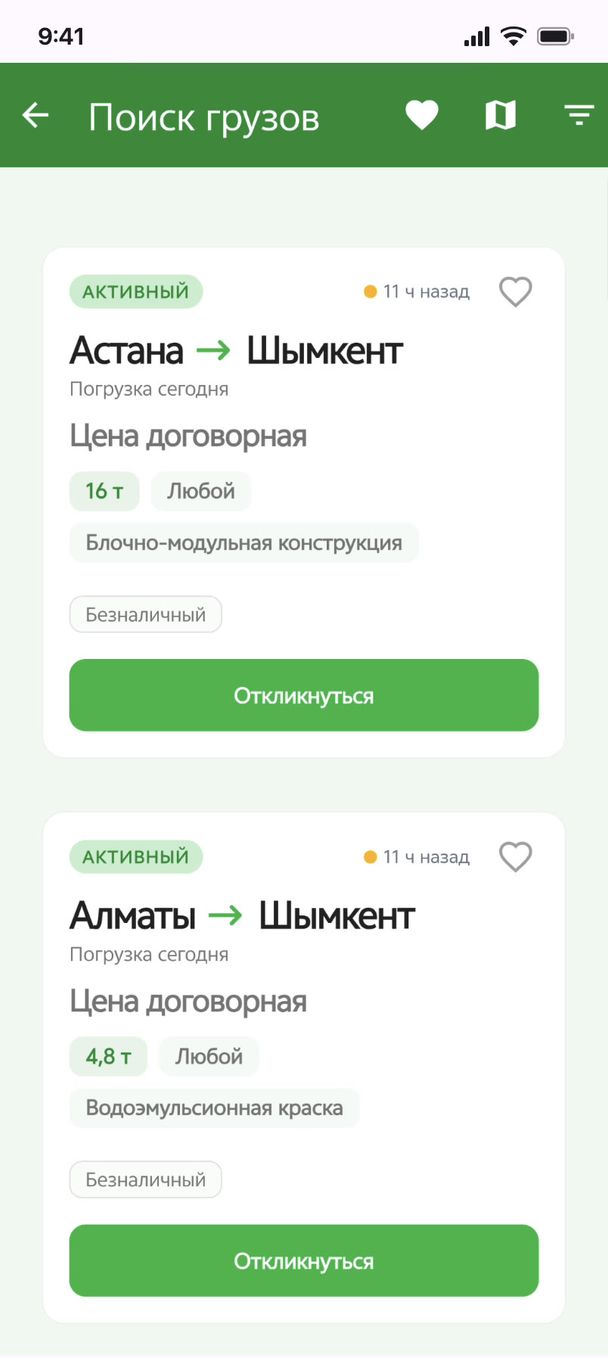
New cargo along your direction
Let new cargo come to you
Save a route — Akzhol can let you know when new matching cargo appears.
Save the directions you need in My routes.
Notifications require an active saved route and notification permission in your phone settings.
Have cargo on this route?
Publish it in the app with the route, date, vehicle type, terms and contact details. Carriers can find your listing.
Visiting on a computer?
Point your phone camera at the code to open the Akzhol installation page.
